
Case Study - Data Masking Assistant
Case Study: A company has published a five-page data masking procedure to guide staff on properly masking data. However, employees must refer to this document each time they need to re-adapt data, and it’s easy to overlook parts of the procedure.
Solution: The AI Studio solution simplifies this process instantly. By standardizing the data masking procedure into an AI bot, all employees can effortlessly follow a customized, error-free process, ensuring consistency and reducing the risk of mistakes across the company.
Now, let's explore the simple steps to accomplish this in AI Studio.
Step 1: Create Instructions with the Built-in Prompt Writer Assistant
- Copy the company's data masking guidelines and paste them into our AI-assistant playground using the Prompt Writer Assistant.
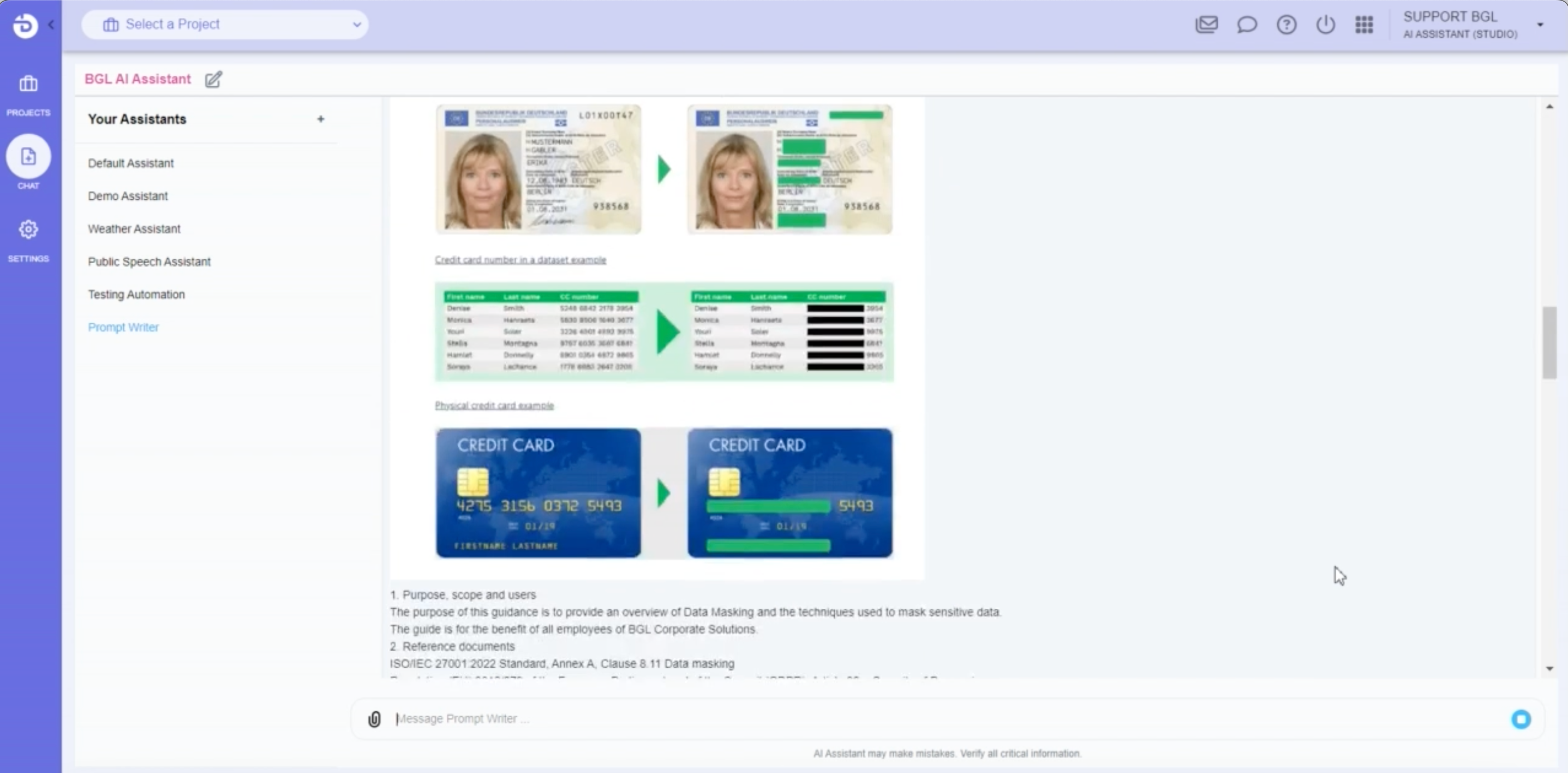
- The Prompt Writer AI will generate customized instructions that you can copy and use to set up your AI Assistant.
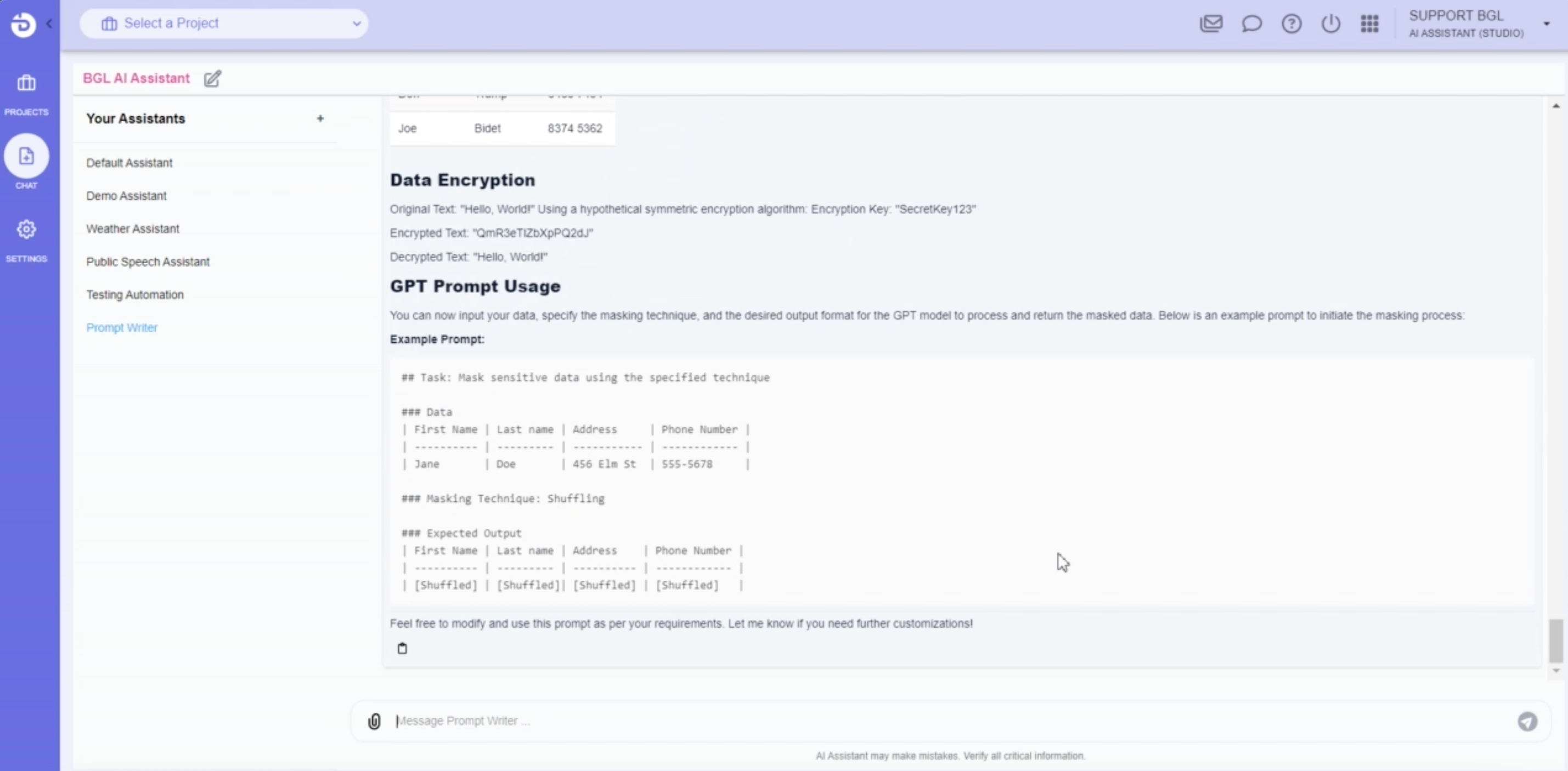
- Simply copy the AI-generated response.
Step 2: Create Your Data Masking AI Assistant Bot
- Paste the instructions from the Prompt Writer into the 'Instructions' field of a new AI Assistant bot, and name it (e.g., "Data Masking Assistant") and save.
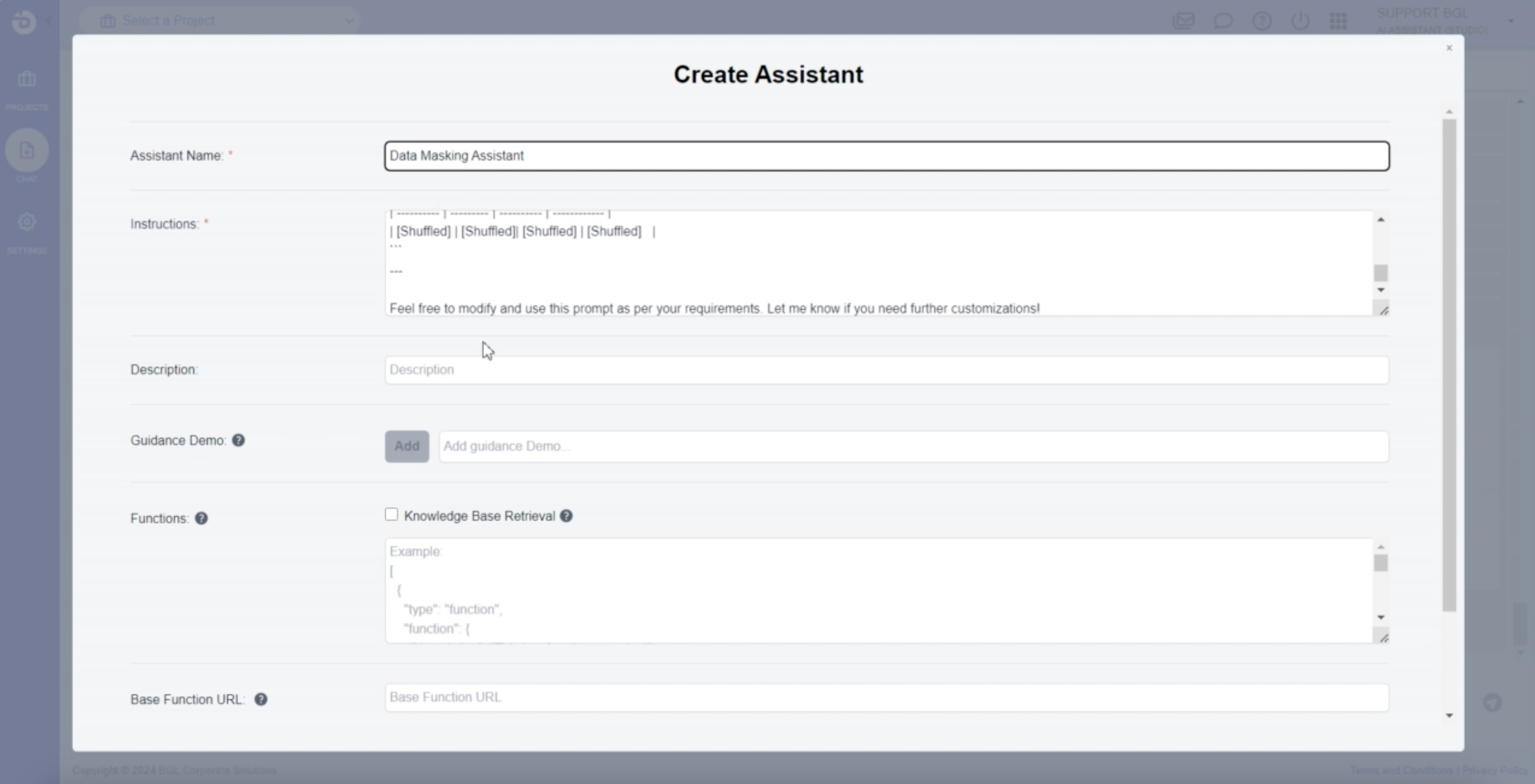
- Your AI Assistant is ready! Now, you can begin using it.
Step 3: Let's Try!
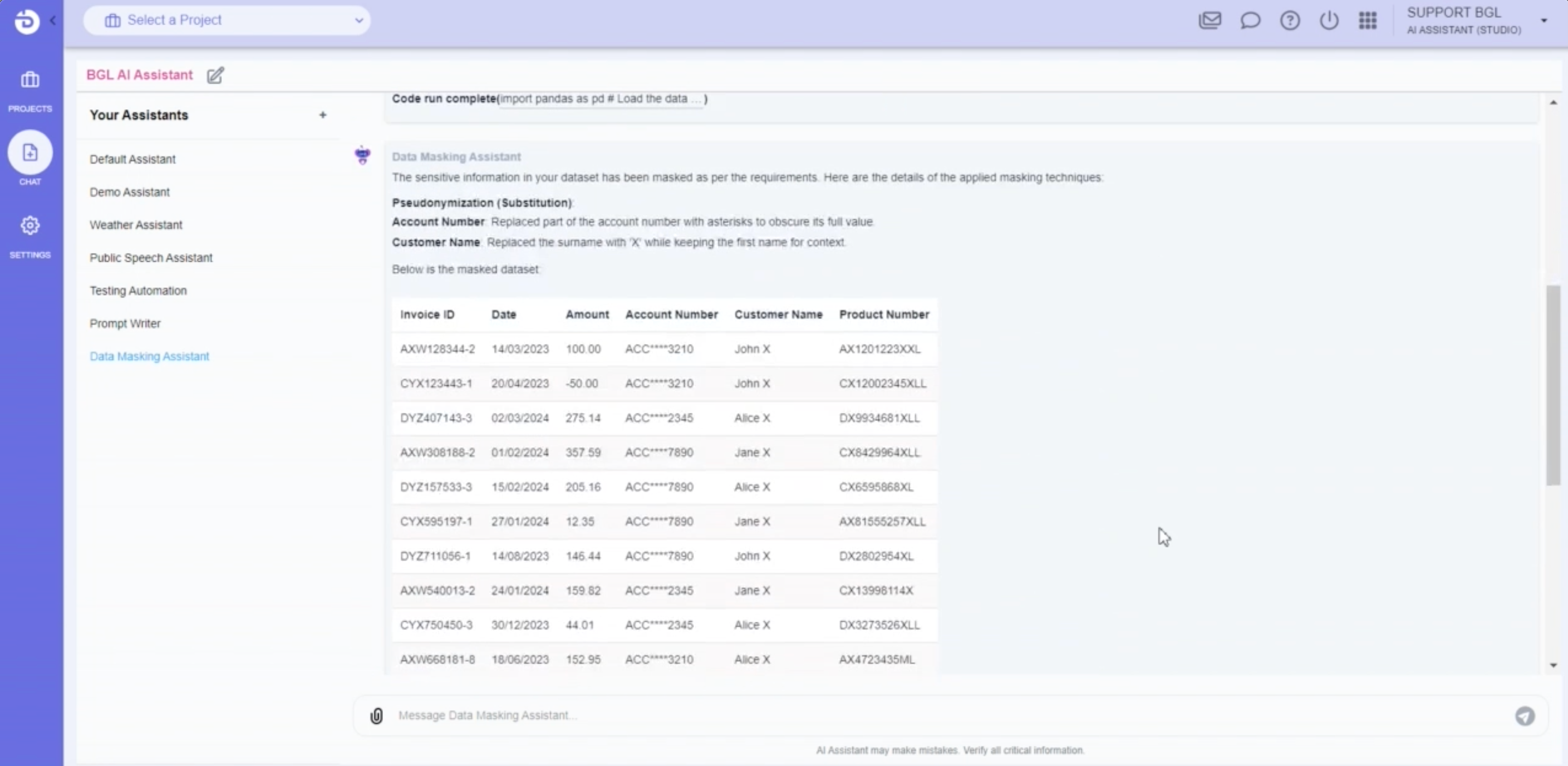
- Send the data you need to re-adapt into your new AI assistant bot.
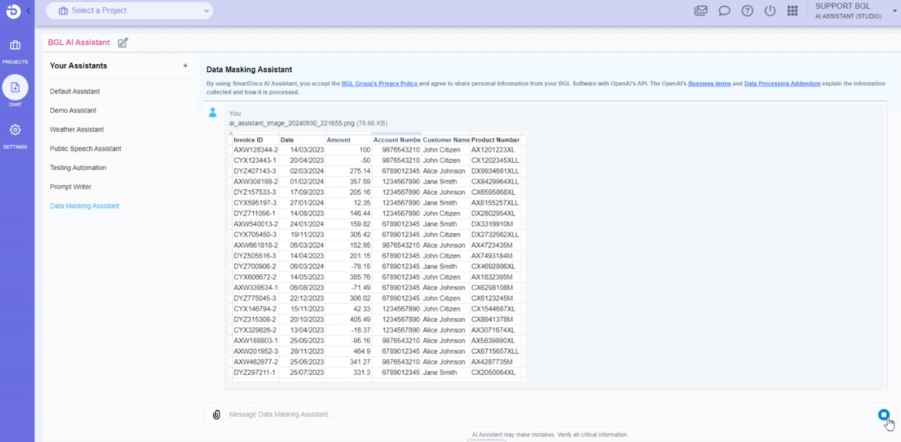
- The bot processes the data according to your company’s procedure and returns the re-adapted data.
Additional Sharing Options Outside of AI Studio!
Sharing via a link
- Select your 'Data Masking Assistant,' click 'Share Assistant,' and copy the automatically generated link.
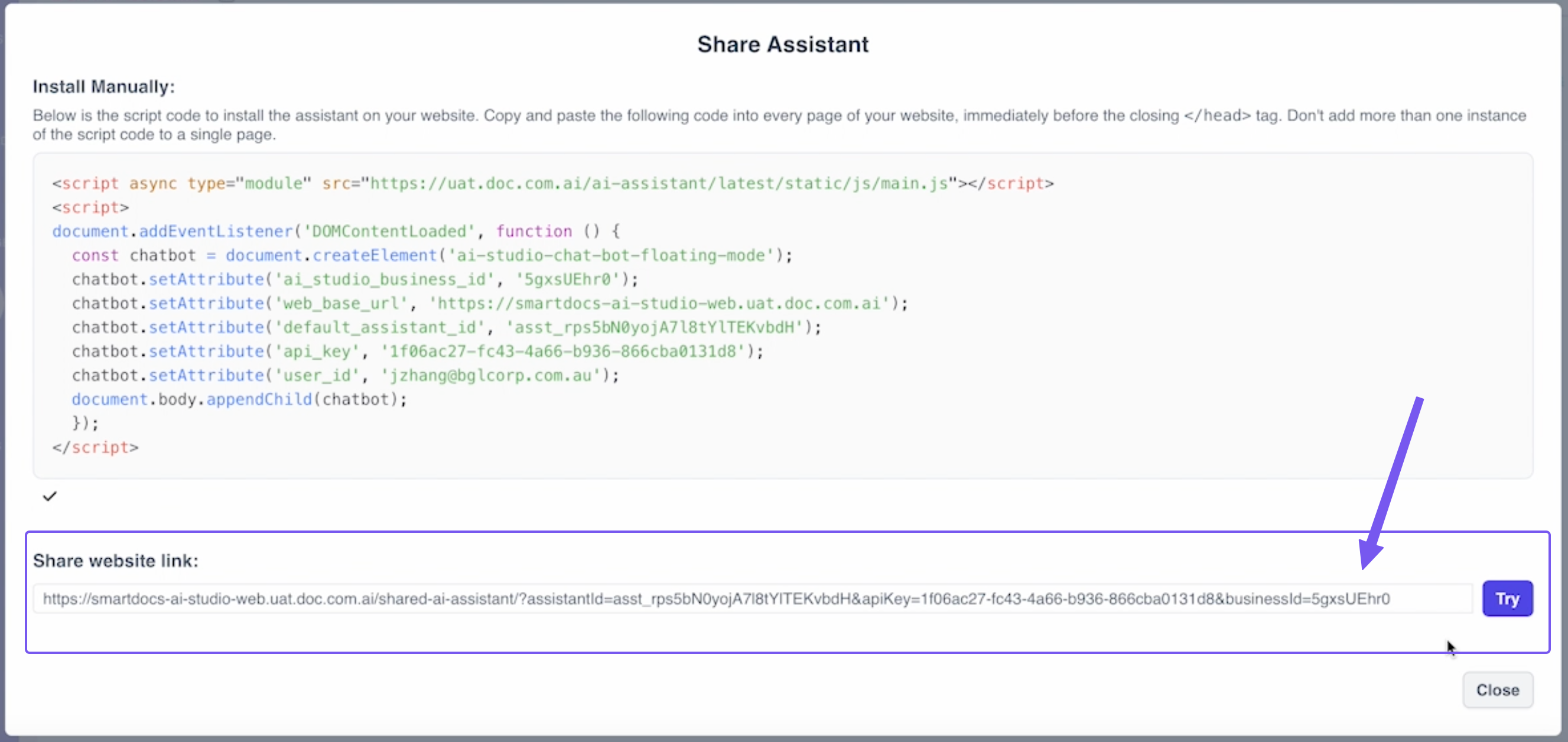
- Share this link via email, text, or other means. Recipients can open the AI chatbot directly, even on mobile!
Export as a UI Web Component
- Copy the generated UI code in the AI Assistant that we created before
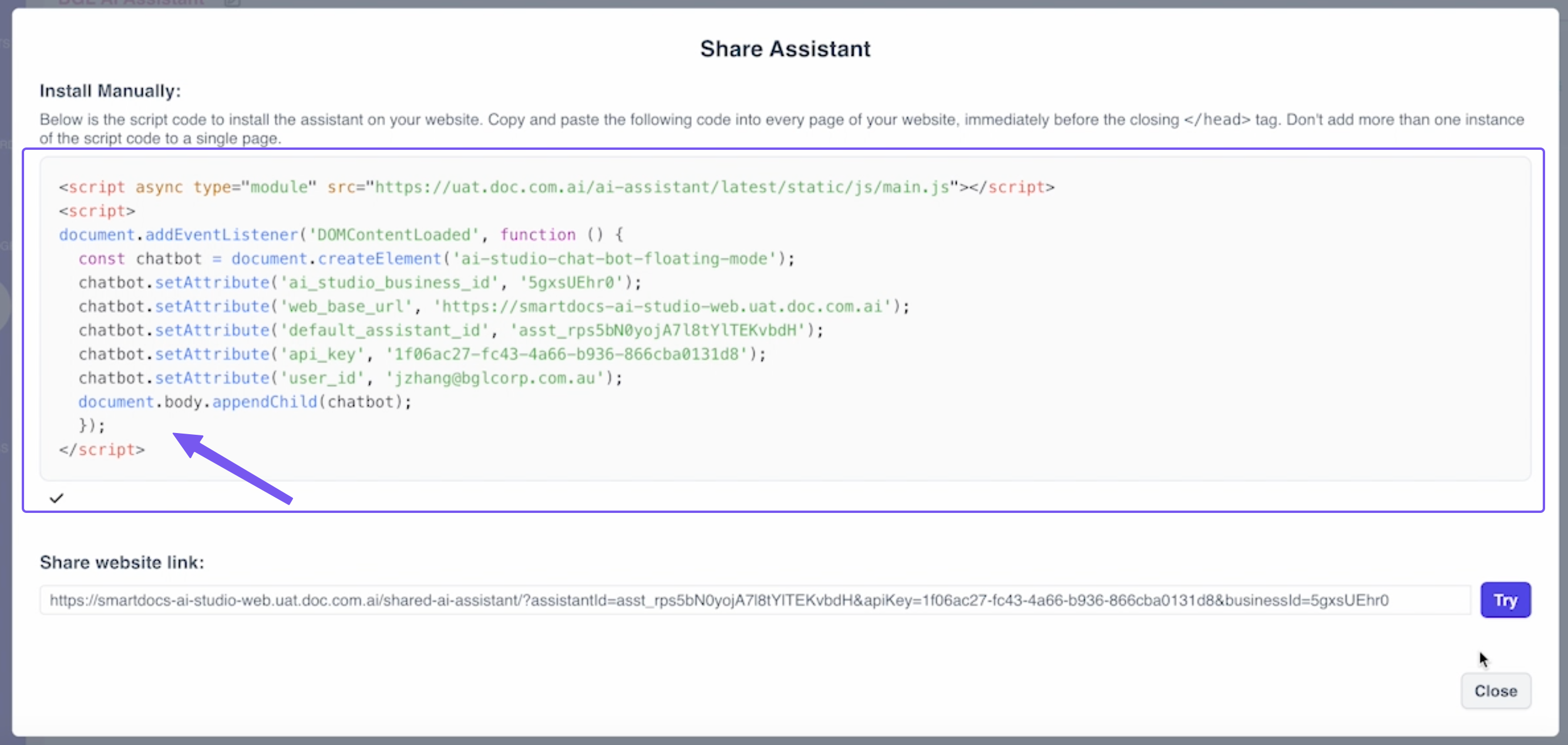
- And export it into your external software / website, like a WordPress website like below.
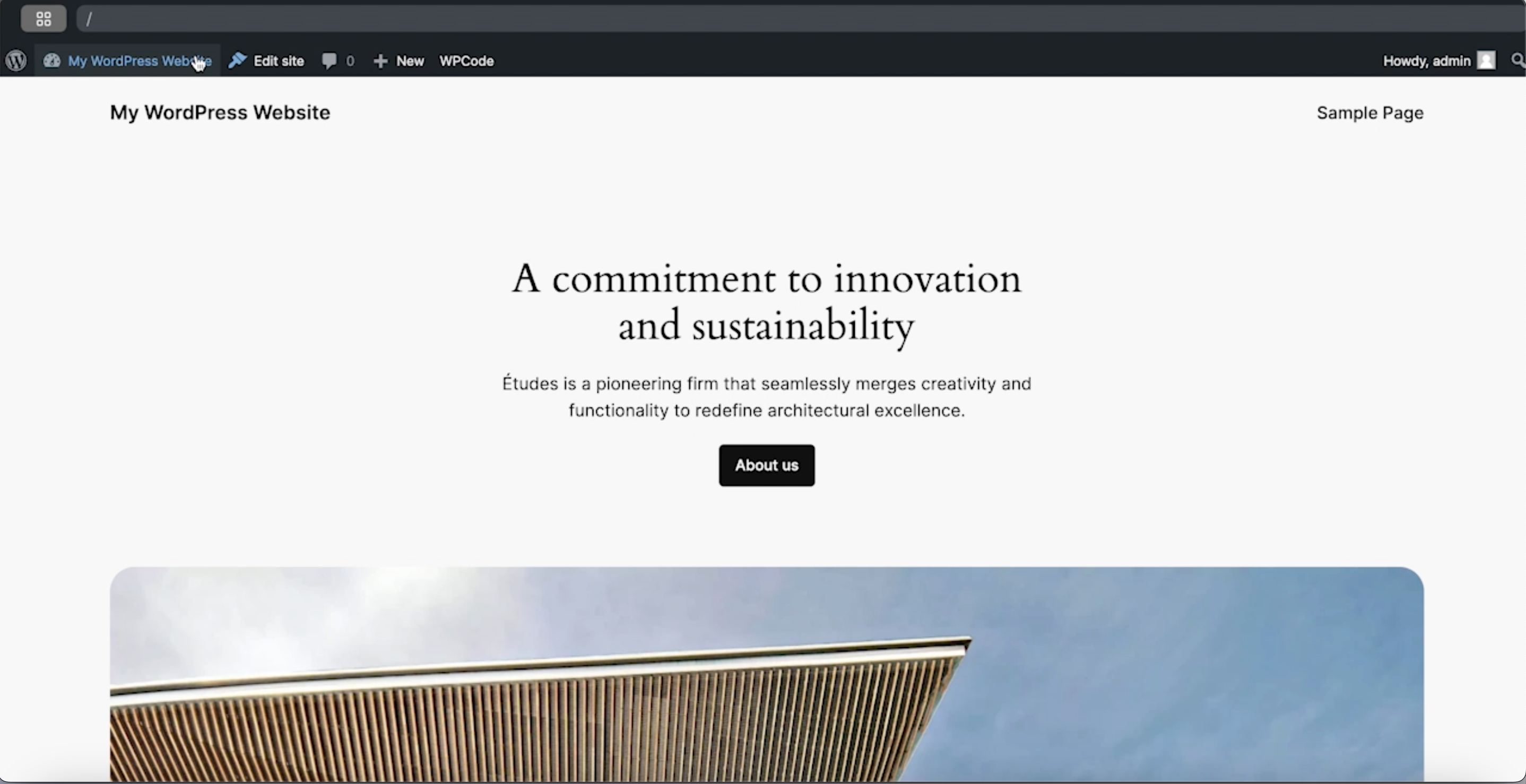
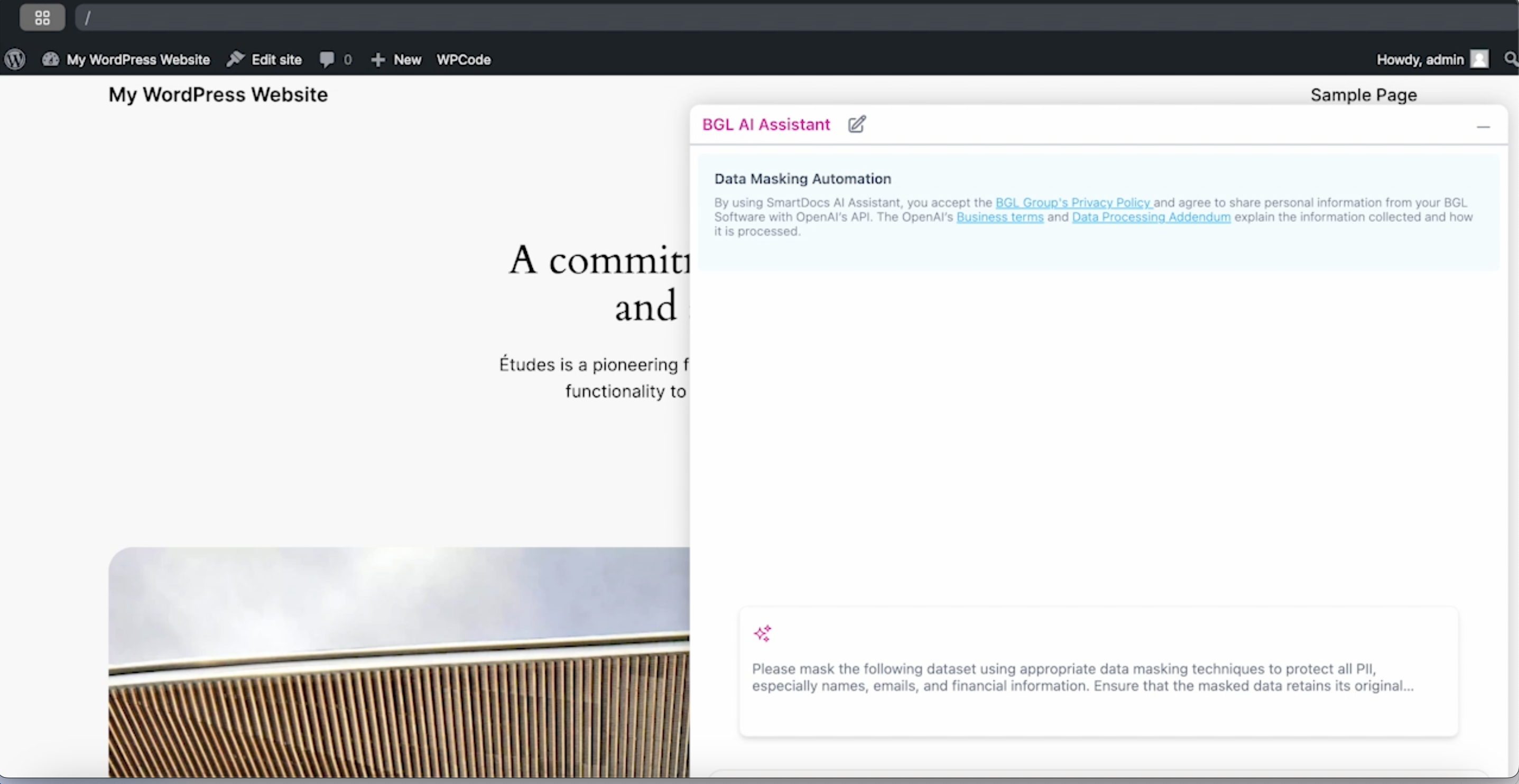
- Paste the code into WordPress, save, and view your AI Assistant bot on your external site.
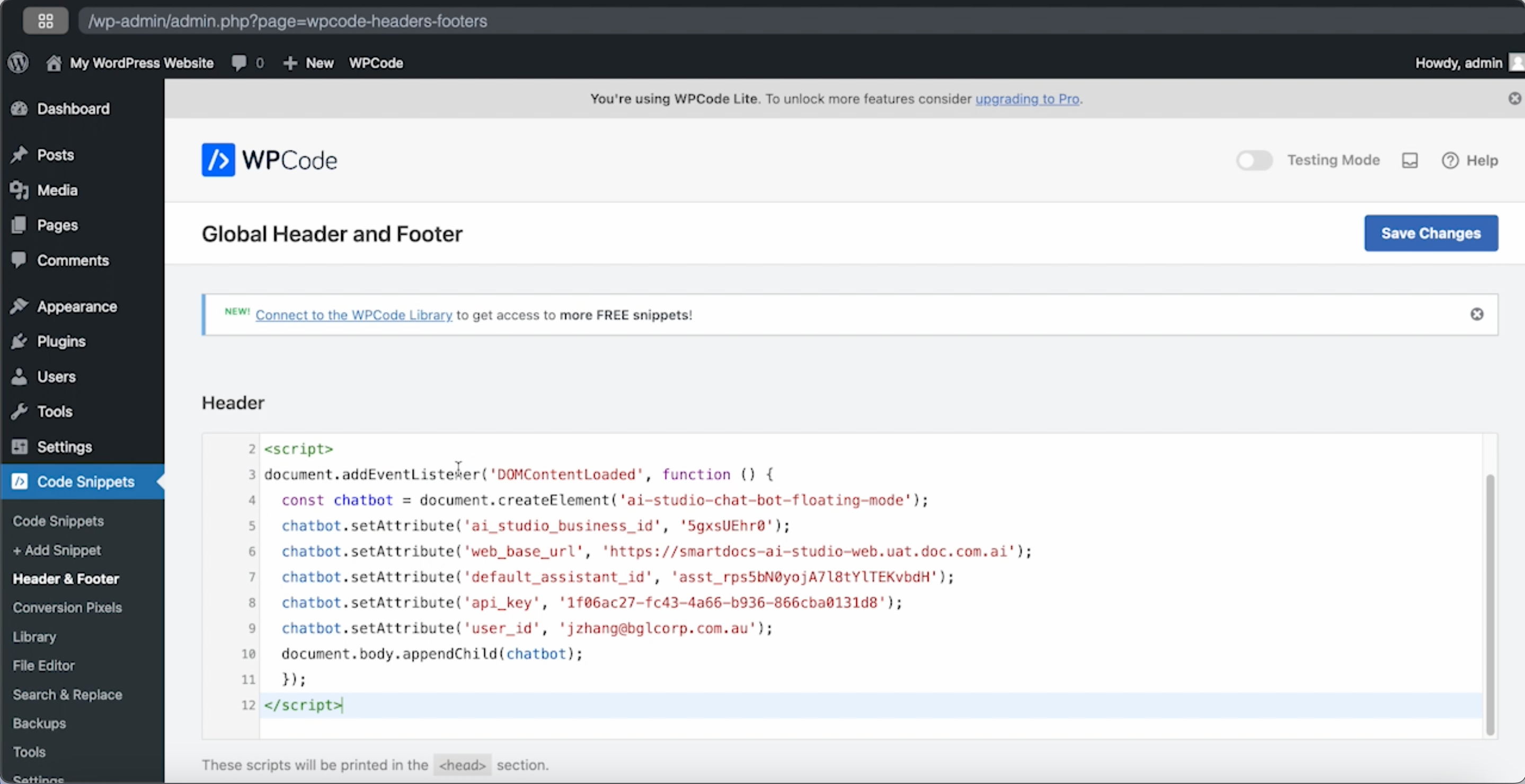
- Save the changes, and when you return to the website, you'll see the AI Assistant bot from AI Studio live and ready to use on your external site!
Updated over 1 year ago
Did this page help you?